Astrion V1.4.2 is now available! This release focuses on feature expansion, UI/UX improvements, and system stability fixes. Key highlights include: Broadlink IR entity binding (offline control), no-switch-mode AC support, blind icon differentiation, TV card name/icon visibility controls, and weather card stability fixes.
✅ RosCard V1.4.2 Required: This firmware update must be paired with RosCard V1.4.2 (available via HACS). Please update both components for the full experience.
1. New & Extended Features
📡 Broadlink IR Entity Binding (Offline Control)
New support for binding entities created by the Broadlink IR Learner to TV Card buttons, enabling offline infrared control.
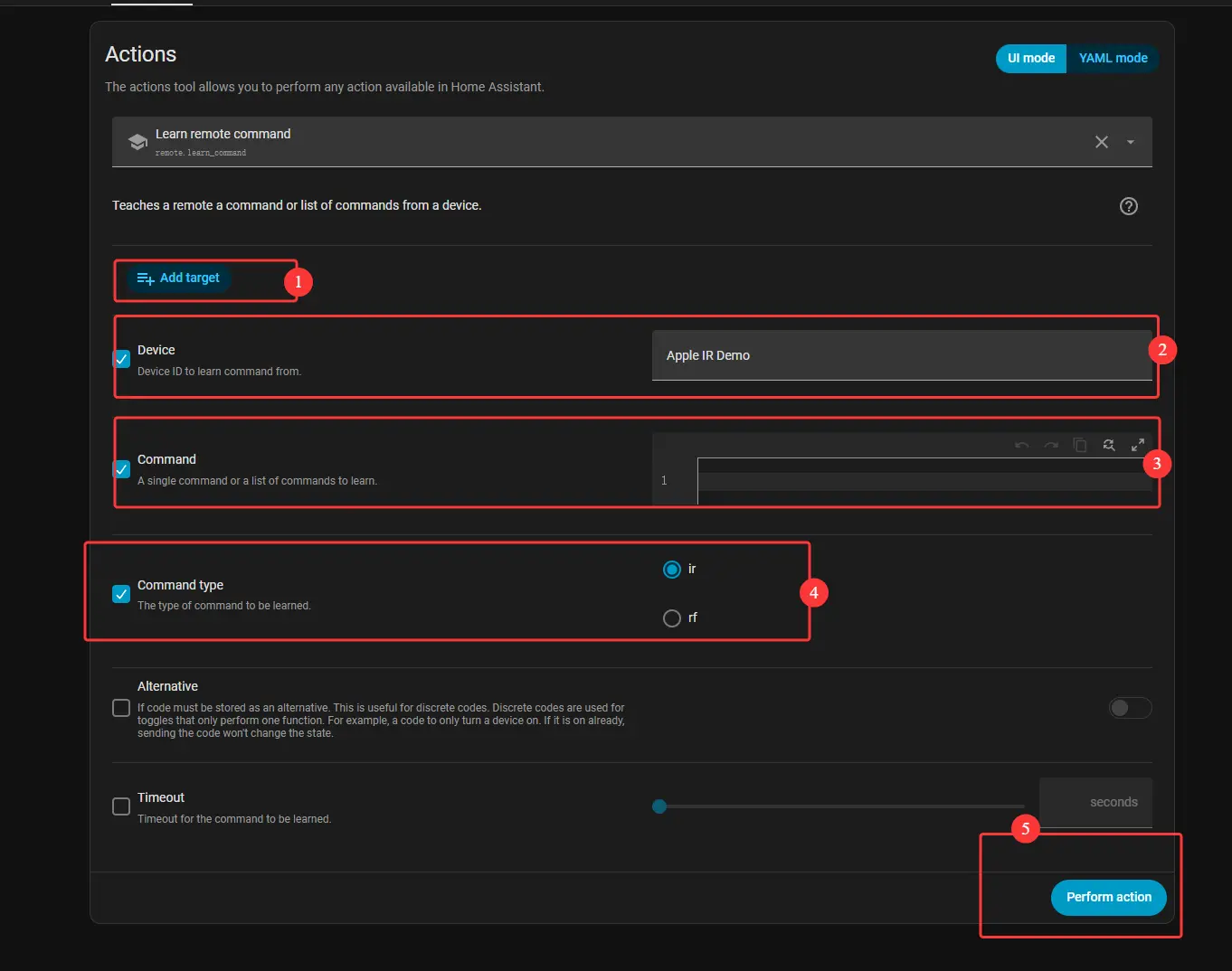
Configuration Steps:
- Enter the TV Card configuration interface
- In the key code binding section, select an entity created by the Broadlink IR Learner
- Set device type to Broadlink
- Select the specific key code under that entity
💡 Key Features:
• Offline Control: IR codes work even when the device is offline
• Flexible Configuration: Add custom IR codes as needed
❄️ No-Switch-Mode AC Support
Previous limitation: Air conditioners required three attributes (Power, Mode, Fan Speed) to be added.
V1.4.2 improvement: Any AC with temperature control can now be added.
- Unsupported controls (Mode, Preset Mode, Power) are automatically grayed out
- Improved mode and fan speed switching logic
2. UI & Display Enhancements
🪟 Blind Icon Differentiation
When a cover is set to "Blind" mode in RosCard, the list icon automatically switches to a blind-style icon. Quick action popups for blinds also display the blind-specific icon.
🖼️ TV Card Name & Icon Visibility Control
Two new toggles have been added to the TV card configuration interface: Show Name and Show Icon (both enabled by default).
⚠️ Note: These toggles only affect the card list view, not the detail view. If both are disabled and no background image is set, the card will appear empty.
3. Bug Fixes & Stability
☀️ Weather Card Fix
Fixed the weather card freeze/crash that occurred when data was missing. Improved data validation logic.
📝 Setup Wizard Label Fix
Fixed the "IIP" label in the setup wizard — now correctly displays "IP" with proper formatting.
How to Update
Astrion Remote (OTA)
- On your Astrion Remote, go to Settings → About
- Look for the Software Version section
- If an update is available, a red dot will appear next to the version number
- Tap the version number and follow the on-screen instructions
RosCard (via HACS)
- Open HACS in Home Assistant
- Navigate to Frontend
- Find RosCard and click Download
- Refresh your browser and restart Home Assistant if prompted
⚠️ Important: This firmware update requires RosCard V1.4.2. Please ensure both components are updated.