Broadlink IR Learner — Learn & Bind Guide
Learn IR codes and bind them to your Astrion TV Card
Complete guide to using the Broadlink IR Learner to capture IR codes and bind them to your Astrion TV Card. Enable offline infrared control without relying on the cloud.
1. Introduction & Important Notes
While the Astrion Remote has built-in infrared capability, it does not have IR learning functionality. To capture and store IR codes, we use the Broadlink IR Learner, which can learn IR codes and make them available for Astrion's TV Card.
The Astrion Remote cannot read IR codes configured in the
official Broadlink app.
Only IR codes learned through Home Assistant's Developer Tools (Actions)
can be successfully called and bound by Astrion.
2. Step-by-Step
Enter Home Assistant Developer Tools
In the Home Assistant main interface, navigate to:
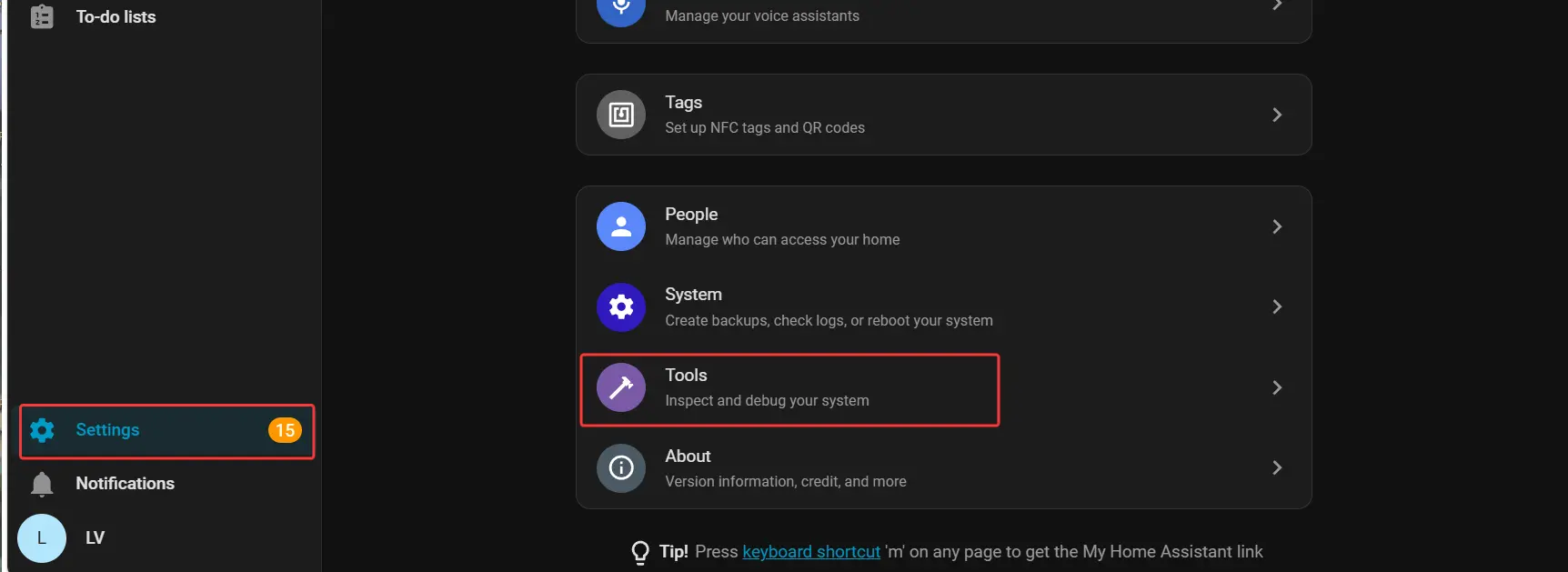
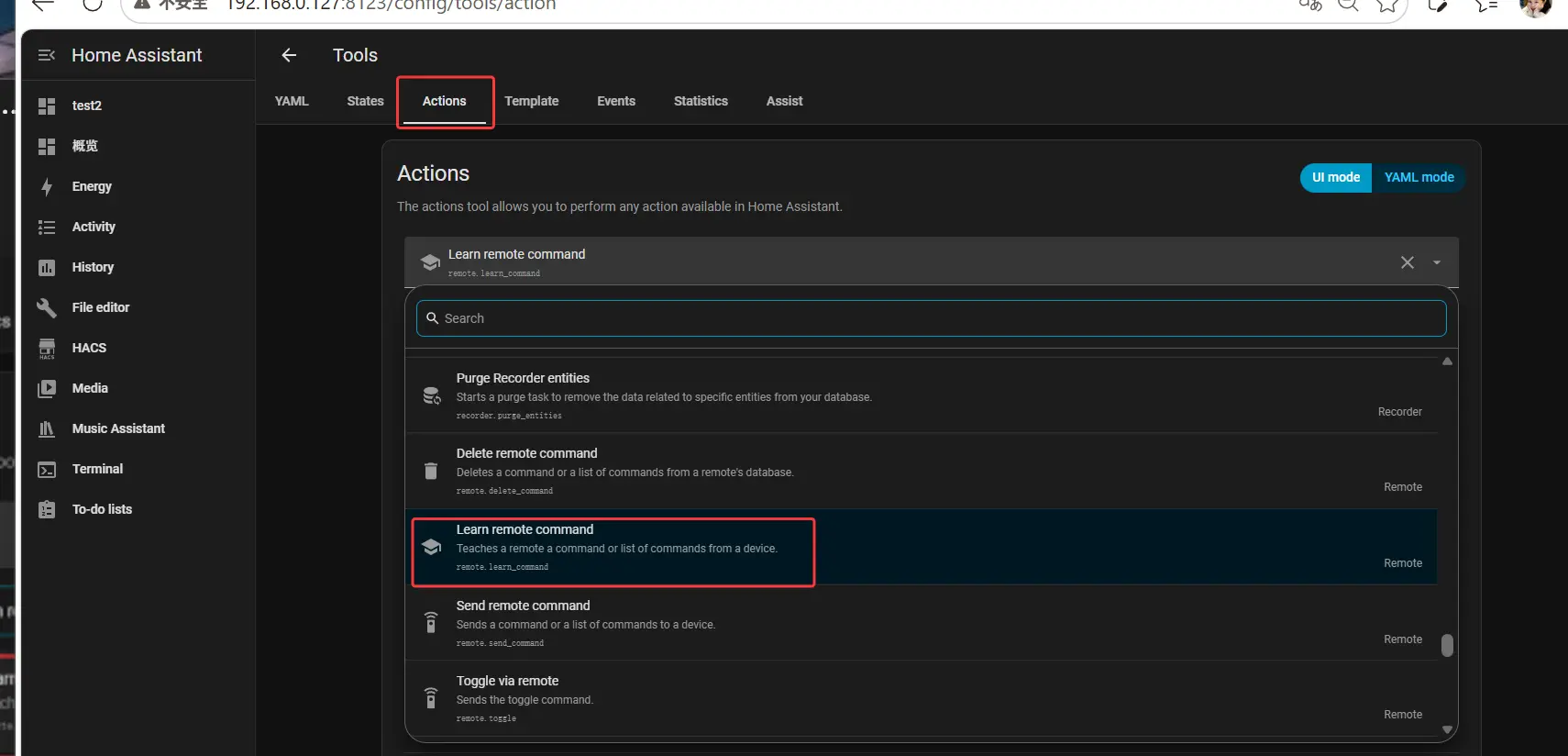
- Settings → Tools → Actions
- In the Actions search bar, type Learn remote command and select the result to enter the configuration screen
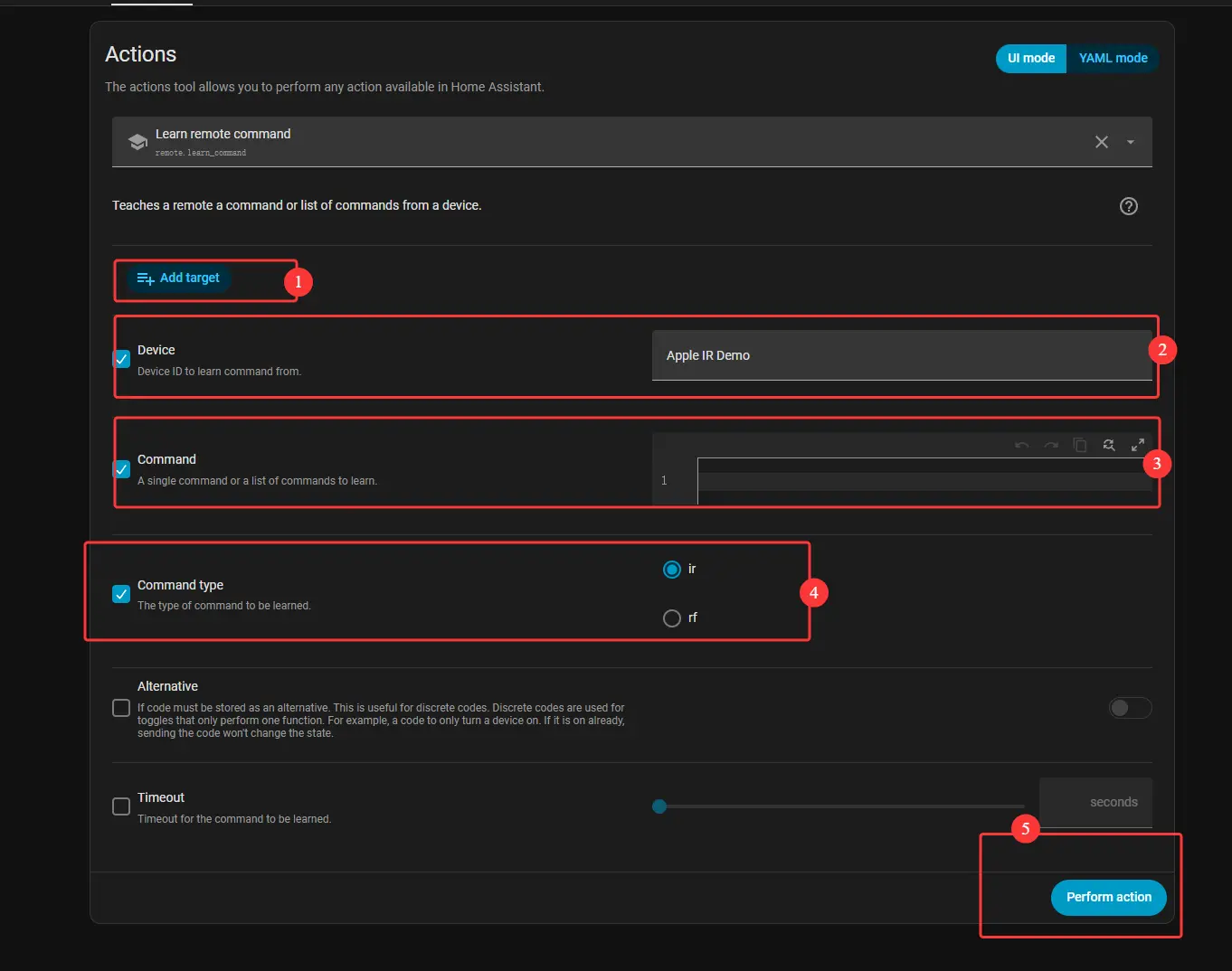
Configure and Learn IR Codes
Follow these steps in the learning interface (repeat for each button you want to learn):
- Add target: Select the corresponding Broadlink IR entity
- Device: Enter a device name for this group of IR codes (e.g., "My TV"). This will appear as the entity name during binding
- Command: Enter a specific command name for the individual button (e.g.,
POWER_ON,VOL_UP,CH_DOWN) - Command type: Select Infrared from the dropdown
- Perform action: Click this button, then point your original remote at the Broadlink IR Learner and press the corresponding button. Home Assistant will automatically save the code
Bind IR Codes to the Astrion TV Card
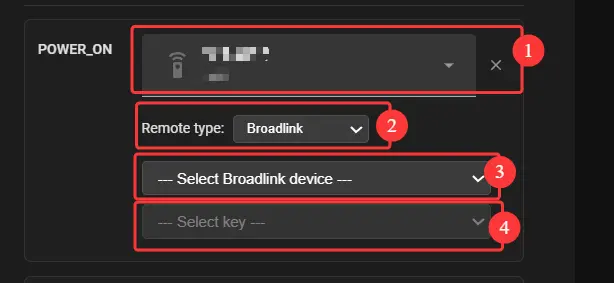
Using POWER_ON as an example, follow these steps in the TV Card configuration:
- Remote selection: Select Broadlink Remote from the dropdown
- Remote type: Select Broadlink
- Broadlink device: Select the device name you set in Step 2 (e.g., "My TV")
- Select key: Select the specific command name from Step 2 (e.g.,
POWER_ON)
💡 Save & Apply: After configuring all buttons, click Save. Refresh your Astrion Remote to start using the new IR bindings immediately.
3. Troubleshooting
Make sure the IR codes were learned through Home Assistant Actions, not through the Broadlink app. Only codes learned via HA Actions can be correctly recognized by Astrion.
Check the "Device" name you entered in Step 2. It must match the name shown in the Broadlink device dropdown in Step 3. Use a simple, memorable name (e.g., "My TV").