UltraBARX DotKey – Mechanical Macro Key Module | Sanytron UltraBARX DotKey – Mechanical Macro Key Module | Sanytron
Skip to Content
DotKey Mechanical Programmable

DotKey

Three keys. Infinite possibilities.

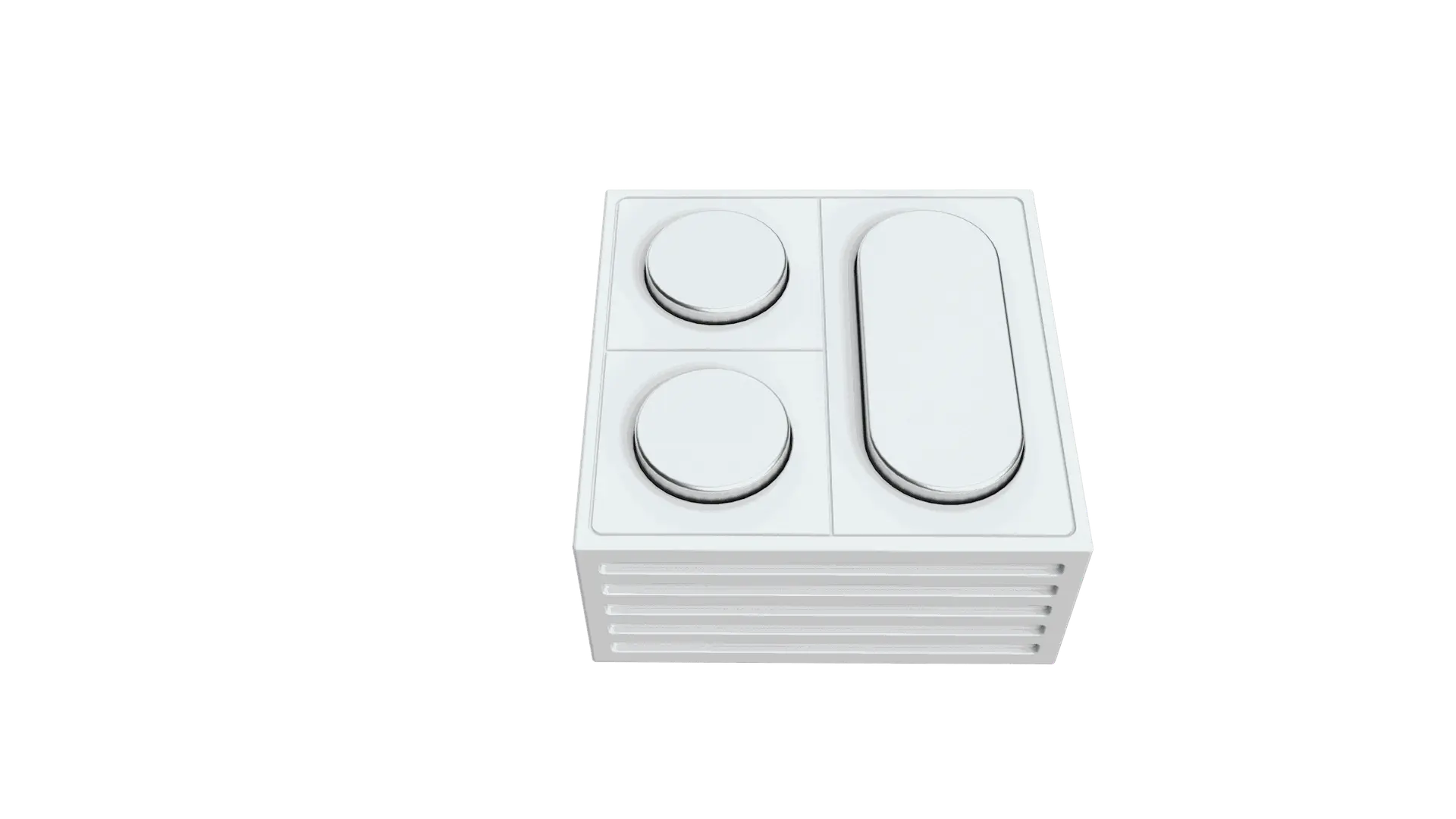
DotKey is a 3-key mechanical macro module that puts your most-used actions one press away. With Cherry MX-style switches, RGB backlighting, and full programmability, DotKey turns repetitive tasks into single-touch actions.
Key Features

What makes DotKey the ultimate efficiency booster for your UltraBARX.

⌨️

3 Mechanical Keys

Tactile, responsive, satisfying

Three premium mechanical switches deliver a crisp, tactile feel with every press. Each key is independently programmable, giving you three dedicated shortcuts in a compact form factor.

Cherry MX-style Tactile Feedback Independent
🎨

RGB Backlighting

See your keys, any time

Fully customizable RGB backlighting lets you color-code your keys for different functions or workflows. Match your setup, or use colors to indicate active profiles.

RGB Customizable Color-Coding
⚙️

Fully Programmable

One press, any action

Assign any keyboard shortcut, macro, app launch, or system action to each key. Open files, run scripts, trigger automations — anything you can do with a keyboard, DotKey can do with one press.

Keyboard Shortcuts Macros App Launch
🧲

QuantumLink™ Integration

Snap and play

Links via the QuantumLink™ magnetic protocol, seamlessly integrating with CoreBar and the wider UltraBARX ecosystem. No cables, no pairing — just snap and start pressing.

Magnetic Snap Plug & Play Ecosystem Ready
🎯

SceneShift™ Ready

Keys that adapt to you

DotKey integrates with SceneShift™ AI, automatically changing key functions based on the active application or workflow. Your keys are always where you need them.

Context-Aware Auto-Switch AI Integration
📦

Stackable Design

Add as many as you need

DotKey modules can be stacked together via QuantumLink™. Start with one, add more as your workflow grows — each module adds three more programmable keys to your arsenal.

Stackable Expandable Up to 15 Modules

Key Specifications

DotKey at a glance.

⌨️

Keys

3 Mechanical

🎨

Backlighting

RGB

⚙️

Programmability

Full

🧲

Interface

QuantumLink™

📦

Stackable

Yes

🔌

Power

Magnetic Pogo Pin

Technical Specifications

DotKey hardware details.

Product DotKey — Mechanical Macro Key Module
Keys 3 mechanical switches (Cherry MX-style)
Backlighting RGB (fully customizable)
Programmability Full — keyboard shortcuts, macros, app launch, system actions
Interface QuantumLink™ magnetic (power + data)
Stackable Yes — up to 15 modules per CoreBar
Power Magnetic Pogo Pin (via CoreBar or VivoCube)
Compatibility CoreBAR, LineOS™, UltraWorkspace, SceneShift™ AI

Use Cases

How DotKey transforms your workflow.

🎨

Creative Shortcuts

Map brush size, undo, and layer switching in Photoshop. Or timeline zoom, cut, and play in Premiere.

💻

Dev Commands

Run build, test, and deploy commands in VS Code. Or git add, commit, and push — all with one press.

🎮

Gaming Macros

Execute complex in-game actions with a single key — item combos, ability rotations, or quick chat responses.

🏠

Smart Home Triggers

Toggle lights, adjust thermostat, or activate scenes in Home Assistant — your physical smart home remote.

Put your actions one press away.

Add DotKey to your UltraBARX and turn repetitive tasks into single-touch actions.